Virtual commissioning software: For more planning and efficiency
Virtual commissioning of complex systems and machines saves a significant amount of time, reduces errors, and cuts costs in modern digital engineering. This requires high-performance software with the right features and interfaces. This is where our F.EE software, fe.screen-sim, comes in.
As a long-standing automation specialist, we have developed — drawing directly from industrial practice — simulation software based on a flexible, modular software architecture that delivers top-tier performance data and generates photorealistic digital twins. Cross-industry and future-proof for end-to-end engineering. The result: virtualization at the touch of a button.
Content: What you will find on this page
- Our software for virtual commissioning: Features at a glance
- Comparison: traditional and virtual commissioning
- Provider selection: That speaks for F.EE
- Case studies: Examples from various industries
- FAQs about virtual commissioning
- Personal call: Check requirements and time schedule
- Definition of virtual commissioning and digital twin
- Consulting, training and project support
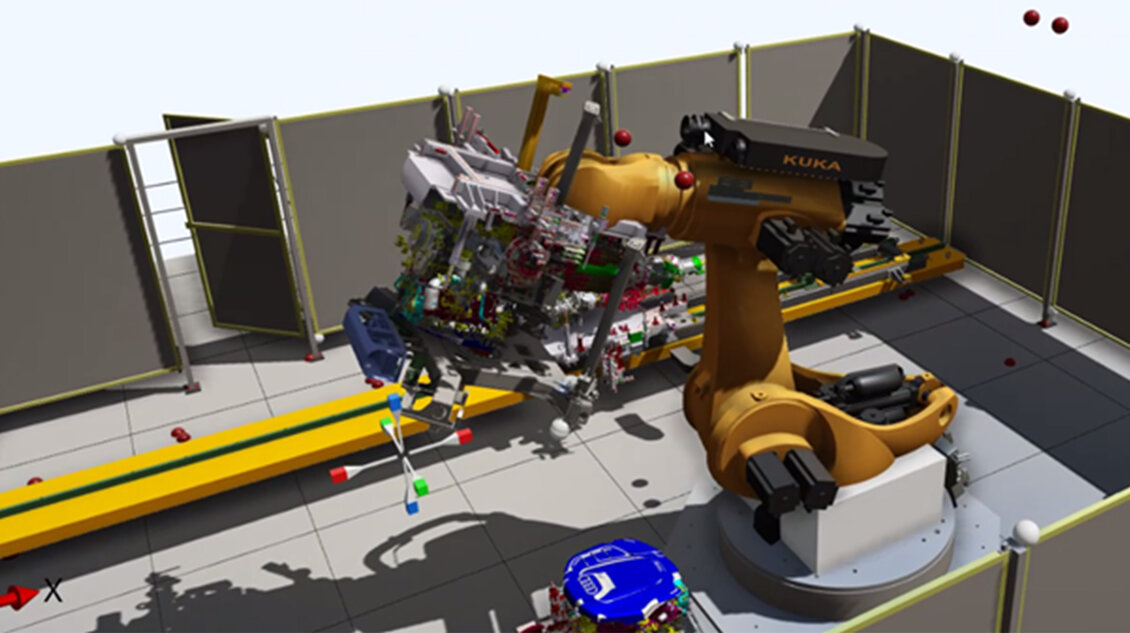
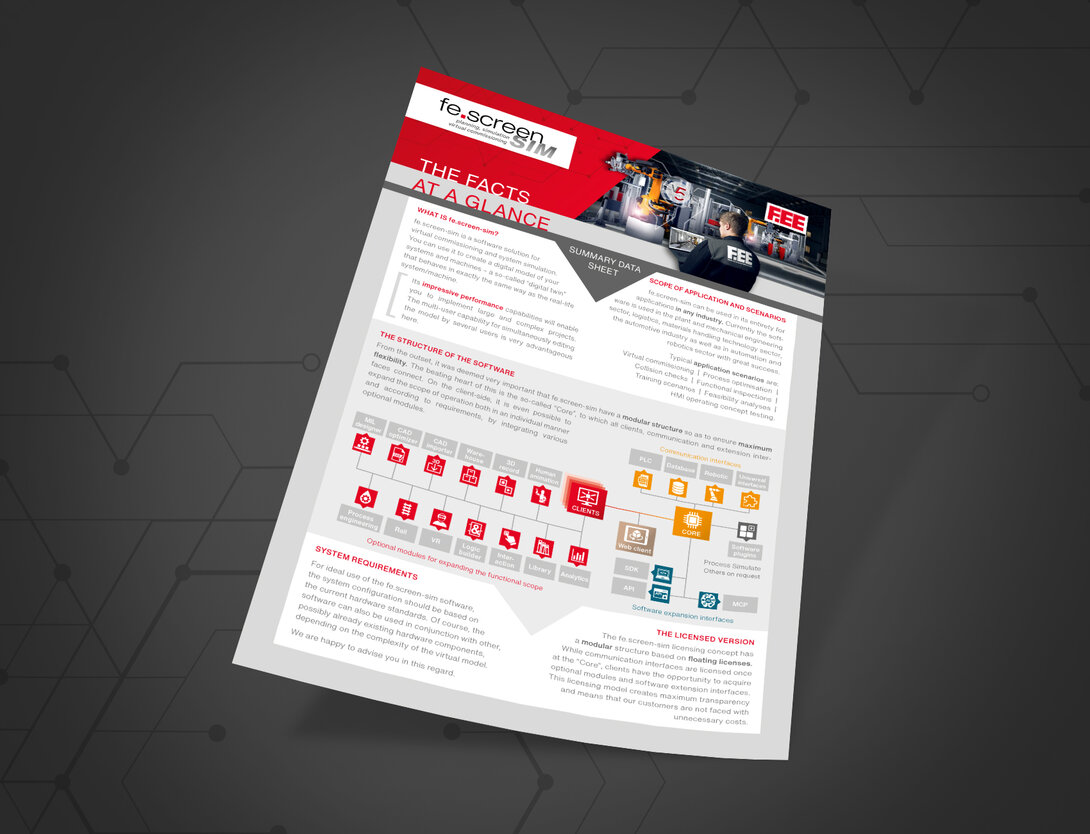
Our software for virtual commissioning: Features at a glance
Interfaces to Third-Party Systems
- Control systems: Siemens, Rockwell, B&R, Beckhoff, Bosch, CODESYS Simulation Interface (add-on, preview), Fanuc, Mitsubishi, and Omron.
- Robotics: ABB, Denso, Epson, ESTUN, Fanuc, isel, Kawasaki, KUKA, Mitsubishi, NACHI, RoboDK, Stäubli, Universal Robots, and Yaskawa (others available upon request).
- Databases and universal interfaces: e.g., OPC UA, MQTT, Modbus, SQL.
- Software plugins: Process Simulate (others available upon request).
What makes fe.screen-sim unique
- AI integration via MCP for the automatic generation, control, analysis, and optimization of models using AI systems.
- Non-stop multi-user simulation – multiple users can work non-stop and simultaneously on the same digital twin – regardless of location and without switching between editing and simulation.
- Outstanding performance and maximum scalability, even for highly complex large-scale plants.
- Over 30 interfaces—cross-vendor compatible, as well as open API and SDK interfaces.
- Experience the plant realistically via virtual reality—perfect for optimizing layout planning and for training purposes.
Features at a Glance
- Integrated user and group management.
- Integrated library functions for behavioral and CAD models—including support for custom extensions.
- Logic creation in FUP and C#.
- Graphic Assign: Simple, automated assignment of connections, e.g., between variables and simulation elements.
- Innovative editors for easy and post-processing of materials, models, and physics.
- Automated signal mapping of I/Os from the PLC to the model using the Expression Editor.
- Integrated signal recorder.
- CAD import: Support for over 30 CAD formats, including native support for the most common CAD systems—such as SolidWorks, AUTODESK, Siemens, etc.
- “CAD Optimizer” for rapid preparation and optimization of CAD data.
- Web client: Simulation directly in the browser—without local installation.
- MIL designer: A tool that allows you to automatically simulate and test processes even without a connected controller.
- Analytics: Effective data and cycle time analysis on the digital twin.
- Time control for displaying processes in slow motion or time-lapse.
- Integrated physical calculation of friction, speed, etc.
- “emulation.box” for easy emulation of up to 700 fieldbus devices.
Performance
More than…
- … 100,000 elements in one simulation
- … 20 control systems
- … 20 robots
- … 700 drives
- … 150,000 inputs and outputs
Simulatable technologies and products
- Conveyor technology: Rotary tables, lifts, chain conveyors, etc.
- Electronic overhead conveyors (EHB): Switches, trolleys, etc.
- Automated guided vehicles (AGVs): Conveyor trains, trolleys, etc.
- Robotics: Robots, tools, grippers, etc.
- Control cabinet components: Pushbuttons, fuses, motor protection, etc.
- Logistics applications: Large warehouses with Power&Free or conventional conveyor systems
- Human animation: E.g., worker simulation in assembly cells
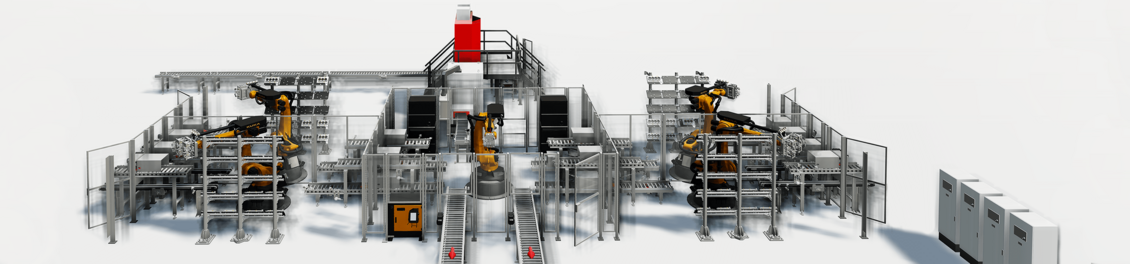
COMPARISON: TRADITIONAL COMMISSIONING VS. VIRTUAL COMMISSIONING
Conventional commissioning
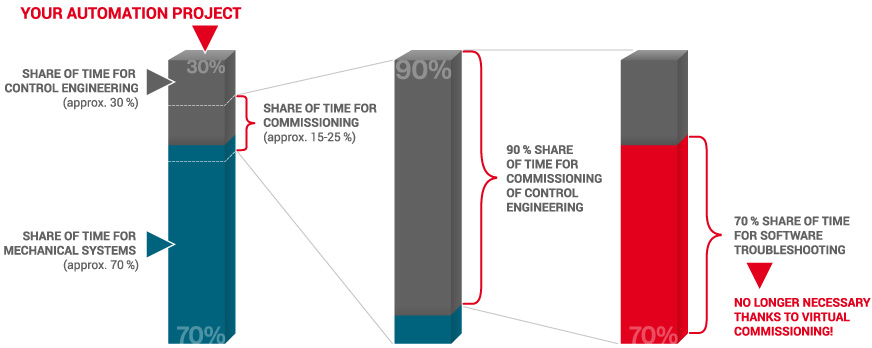
Traditional commissioning processes in plant engineering often result in unforeseeable costs and delays. The reason: software errors usually only become apparent during the critical final phase on-site, causing massive project stress — in the worst-case scenario, just before the planned start of production. Time-consuming on-site troubleshooting costs valuable time that was not factored in beforehand. The project grinds to a halt, causing personnel and resource costs to escalate unpredictably.

Virtual commissioning
Virtual commissioning with fe.screen-sim eliminates these risks: Concepts can be validated as early as the sales and project planning stages, thereby avoiding costly iterative corrections from the outset. In the subsequent engineering phase, PLC programmers can validate their control code at an early stage — long before the actual hardware exists. Design data is conveniently entered via an editor or imported directly from CAD files. This allows the plant or machine to be quickly modeled virtually and tested in real time, reducing on-site commissioning time by 15 to 30 percent. This conserves valuable personnel resources, eases the burden on the entire project team, and ensures a completely safe production start. Even after that, the virtual plant offers maximum benefit, as personnel can be trained completely risk-free.


This is why customers choose our tool for virtual commissioning
Developed from practical experience
F.EE is not just a software developer, but an automation specialist and engineering partner. As a result, fe.screen-sim was developed based on our own practical needs and experience. For over 40 years, we have been supporting companies in the automotive industry, mechanical and plant engineering, logistics, and other sectors. We understand what virtual commissioning software must be capable of, are familiar with potential sources of error, and use our own solution in our daily operations.
Modular adaptation
Our software has a modular design and can be flexibly expanded according to the “pay-as-you-grow” principle. The multi-user, industry-agnostic core client architecture provides you with a future-proof foundation for technological milestones in digital engineering — all the way up to AI-powered simulation. The platform is suitable for both smaller projects and the virtual commissioning of complex large-scale plants.
Flexible price
Just like our software architecture, our pricing model is modular and transparent. The investment costs depend entirely on the modules you choose and the number of users — you pay only for what you actually need. Thanks to the unlimited usage model, you benefit from complete planning certainty and can use your virtual plants sustainably for optimization measures long after commissioning.
Satisfied customers prove us right
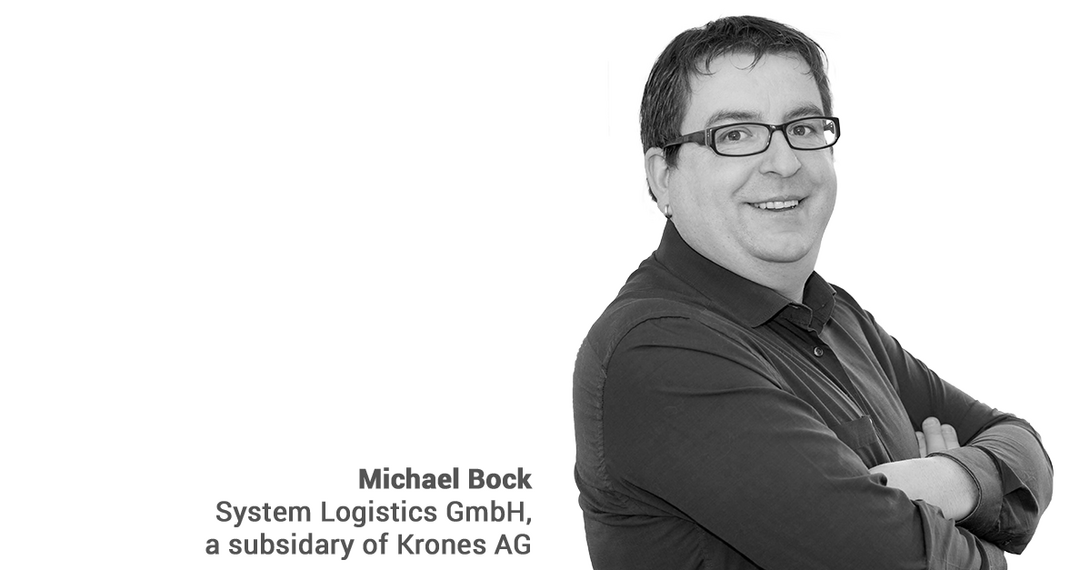
"The simulation is so easy to create that you don't even need a help file - a really good usability. The simulation team is very helpful and willing to make any useful adjustments in the software. The features that had to be specially created for us were specified in a very tight time frame and developed on schedule. A simply beautiful and effective cooperation."
Michael Bock, System Logistics GmbH, a subsidiary of Krones AG
Virtual commissioning in practice: examples from four sectors
Simulation in automotive engineering
In the automotive and supplier industry, those responsible have an ever shorter time window for plant development. Simulation allows complex and time-critical projects to be successfully implemented.
Virtualization of a warehouse
In logistics, increasingly complex warehouse systems are required. Storage, removal and transfer processes must be planned. Through early virtualisation, all processes can be simulated clearly and in real time.
Modelling of a robot
Robots can also be integrated quickly and easily using the existing interfaces. Connections are established to tools from the robot manufacturers, for example Kuka (Kuka Office Lite) or ABB (ABB Studio). The data of the emulated robots are read, used in the simulation and sent back.
Simulation models in mechanical engineering
3D simulations are also successfully used in mechanical engineering. With fe.screen.sim you can simulate machines with any number of axes. Also the machine operator can be trained more easily by a digital twin. For example through the use of AR-glasses.
Time saving – One of the benefits of virtual commissioning
Virtual commissioning has enormous potential for cost reduction. For example, there is no need for time-consuming troubleshooting during the commissioning of the control and automation technology in the late phase of your project.
FURTHER APPLICATION AREAS AND QUESTIONS ABOUT VIRTUAL COMMISSIONING
What are the application areas and scenarios?
The use of fe.screen-sim is completely possible regardless of the industry. Currently, the software is already being used very successfully in plant and mechanical engineering, logistics, materials handling, automation and robotics.
Typical application scenarios are:
- Virtuelle Inbetriebnahme
- Process optimization
- Collision checks
- Functional tests
- Training scenarios
- Feasibility studies
- HMI operating concept tests
- Ergonomics considerations
In which business areas can the simulation be used?
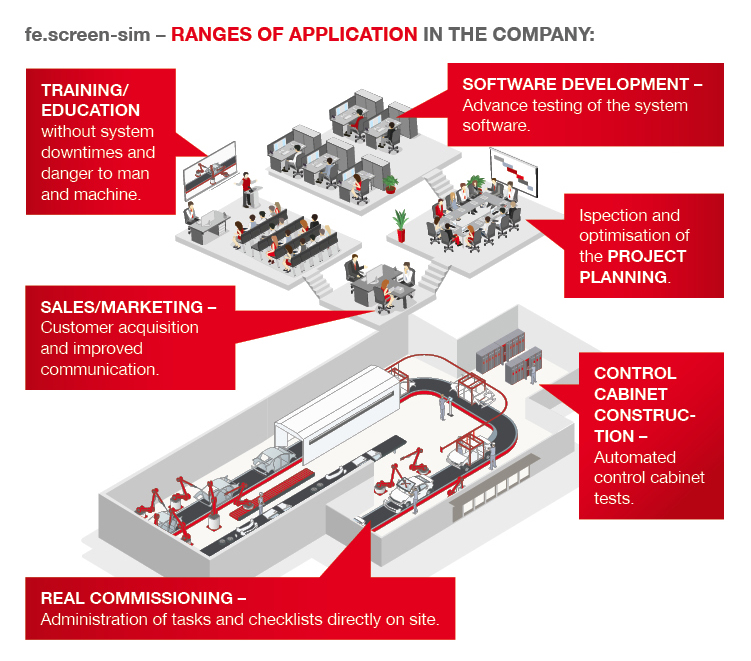
Flexibility is a keyword that has always played a major role in the development of fe.screen-sim. Through a cross-departmental use of the 3D simulation software in the company, synergy effects can be used optimally and potential can be exploited in the best possible way.
On the one hand, simulation models can be created directly in fe.screen-sim without using an existing database. On the other hand, the import of data from CAD programs is possible, whereby many file formats (e.g. FBX, OBJ, WRL, JT, etc.) are supported.
In addition, programmable logic controllers (PLC) from a wide range of manufacturers (e.g. Allen Bradley, Rockwell, Schneider Electric, Siemens) can be integrated into fe.screen-sim.
Of course, the simulation of robots from various manufacturers - including ABB, Fanuc and KUKA - is also possible. An SQL database interface ensures the smooth integration of fe.screen-sim into the workflow.
What are the benefits of virtual and augmented reality in plant simulation?
The integration of an interface for different VR and AR glasses allows the user to immerse himself in the simulation. This makes it easier to estimate sizes and distances. New, impressive display possibilities open up. Sign in for one of our next webinars! There you will learn more about it.
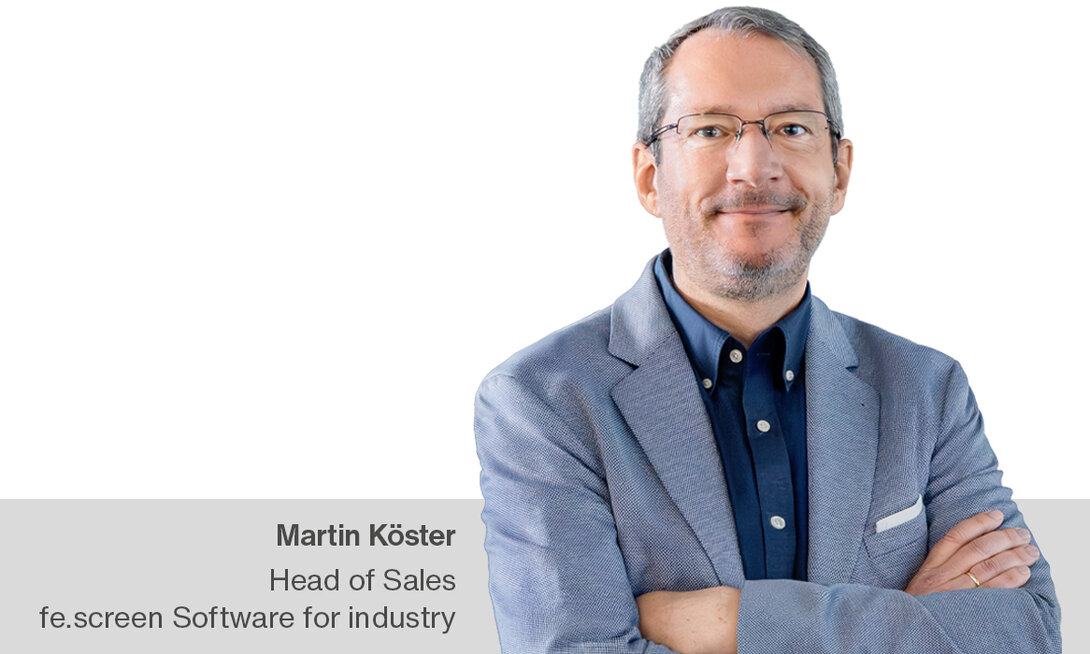
Your personal contact person – for more clearness
You are a project or department manager and are faced with the question of how to set up a digital twin for your project? We would be happy to talk to you personally about your requirements, the time frame, the possible project approach and give you an initial cost estimate.
Definition of virtual commissioning and digital twin
What is a digital twin?
A digital twin is essentially a virtual 3D representation of a real machine or system that digitally replicates its characteristics and behavior. Digital twins are used in numerous applications throughout the entire project lifecycle. One of the most important applications in automation technology, manufacturing, and mechanical engineering is virtual commissioning.
Definition of Virtual Commissioning
Virtual commissioning involves creating a virtual model of a machine, system, or robot. All design data and control programs can be loaded into this model and tested before the machine is built and put into operation. Studies, such as those conducted by the VDMA, have shown that VIBN demonstrably avoids additional work and saves time and costs, as errors are detected early on. This further reduces project risksand stress while improving software quality and efficiency.
Our services: Consulting, training and support
For your first project where you use virtual commissioning, everything is new. We won't leave you alone and explain how a typical startup phase with fe.screen-sim, including workshops, training and support during project implementation, can be handled. Learn more about our services.